Work well
Clipboard managers, system monitors, caffeine, weather, sound output switchers, tiling helpers.
 HypeDE
Русский
HypeDE
Русский
HypeDE runs an unmodified GNOME Shell, so it can carry extensions. Some come with HypeDE and follow its theme; regular GNOME extensions work too.
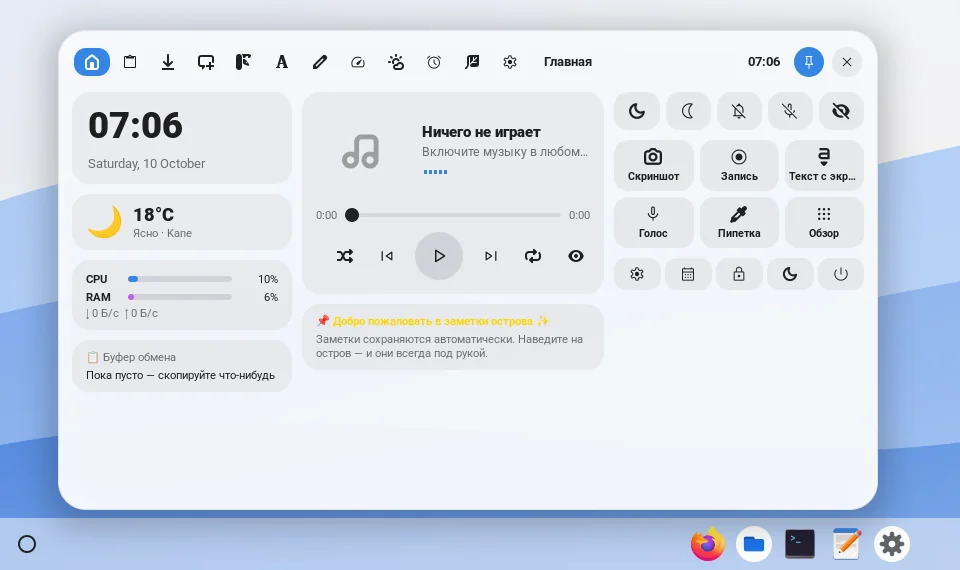
Lives on the shelf as a capsule next to the launcher button, like “Now playing” on a Chromebook. It shows music, downloads, timers and screen recording; click it and it opens above the shelf.


GNOME extensions are off in the HypeDE session so that a setup made for regular GNOME cannot break the shelf. Turn them on in Settings → System preferences → GNOME services → GNOME extensions, then install them with Extension Manager or from extensions.gnome.org.
Clipboard managers, system monitors, caffeine, weather, sound output switchers, tiling helpers.
Dash to Dock, Dash to Panel and others that replace the top bar or the dock — HypeDE already moves those parts.
GNOME Shell 48–50, the same as HypeDE itself.
Open an issue in hypede/hypede with a link to the repository. It needs a GPL-compatible licence and GNOME Shell 48–50. We fit it into the shelf and the theme, as we did with Dynamic Island, and credit you here and in the README.